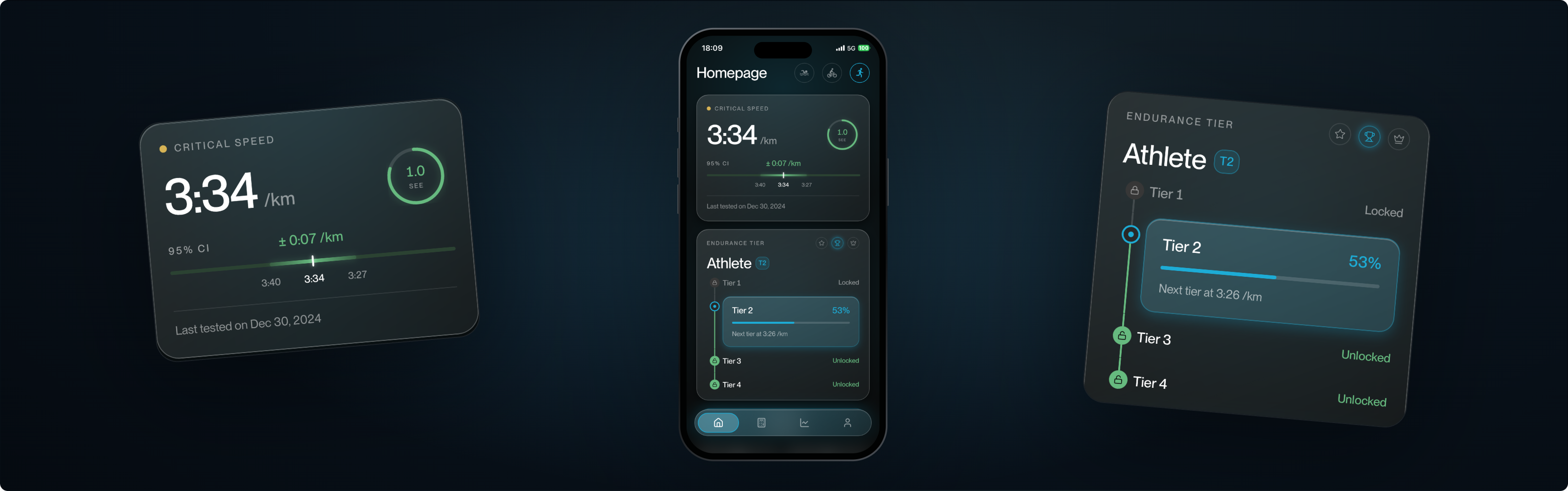
Built on over 150 research papers, this calculator uses a research-backed algorithm to determine your three physiological training zones - for running, cycling and swimming.
Calculator
World's First Physiologic Training Zone Calculator
The Training Zone Problem
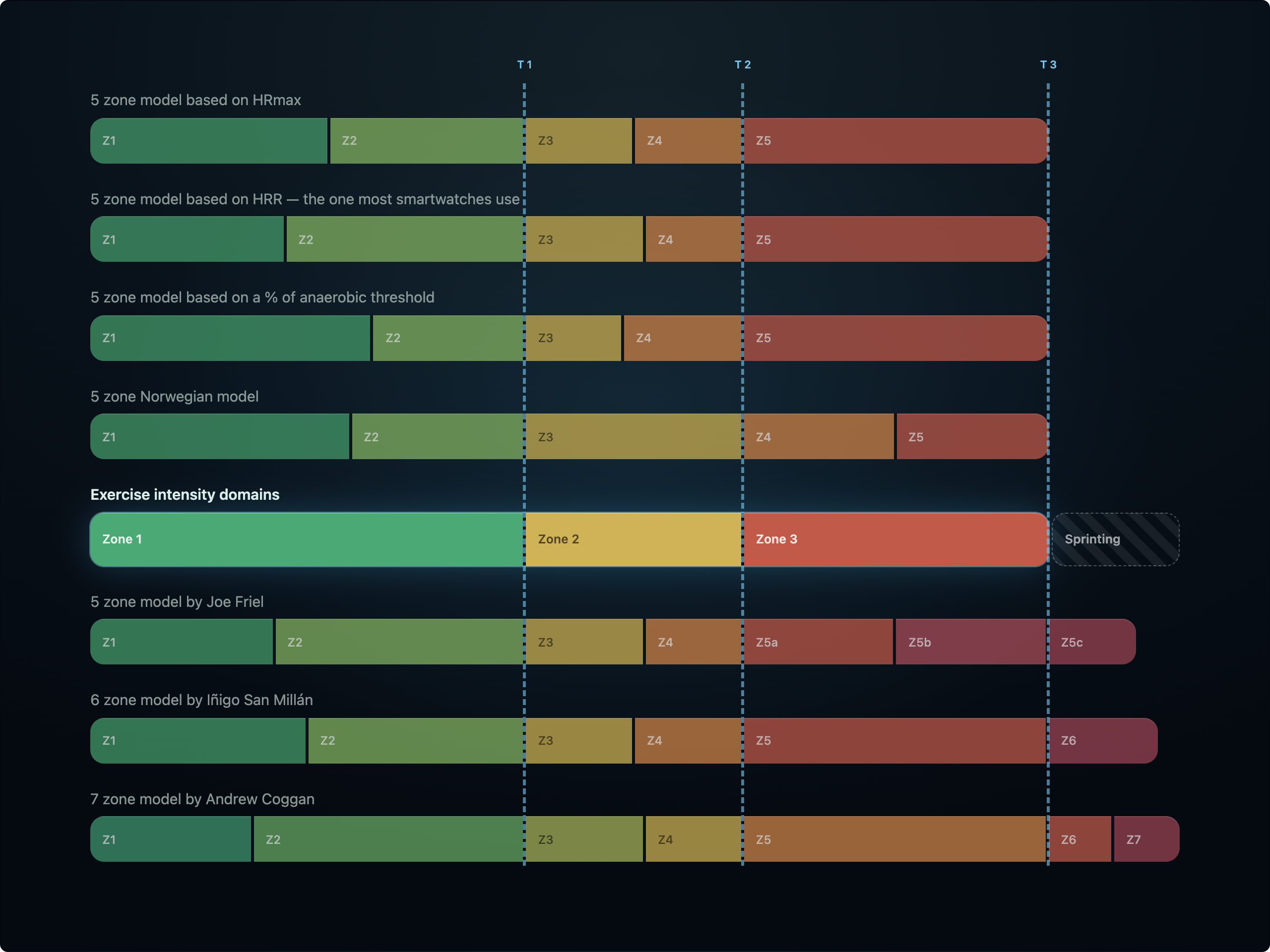
Training zones are the most foundational topic in endurance sport. They are also genuinely hard to calculate. And almost every commonly used model divides intensity by arbitrary numbers rather than by physiology.
Current arbitrary training zone models
5 zone model based on HRmax
5 zone model based on HRR — the one most smartwatches use
5 zone model based on a % of anaerobic threshold
5 zone Norwegian model
5 zone model by Joe Friel
6 zone model by Iñigo San Millán
7 zone model by Andrew Coggan
True Training Zones
A training zone is an intensity. From a physiological standpoint only four intensities exist - three within endurance training, and one in the realm of sprinting. Everything beyond that is subdivision for its own sake.
The 3 zone training model
The only model built on physiology rather than percentages
The most accurate way to divide endurance intensity
The simplest model to apply day to day
The most important model to understand
The Training Zone Solution
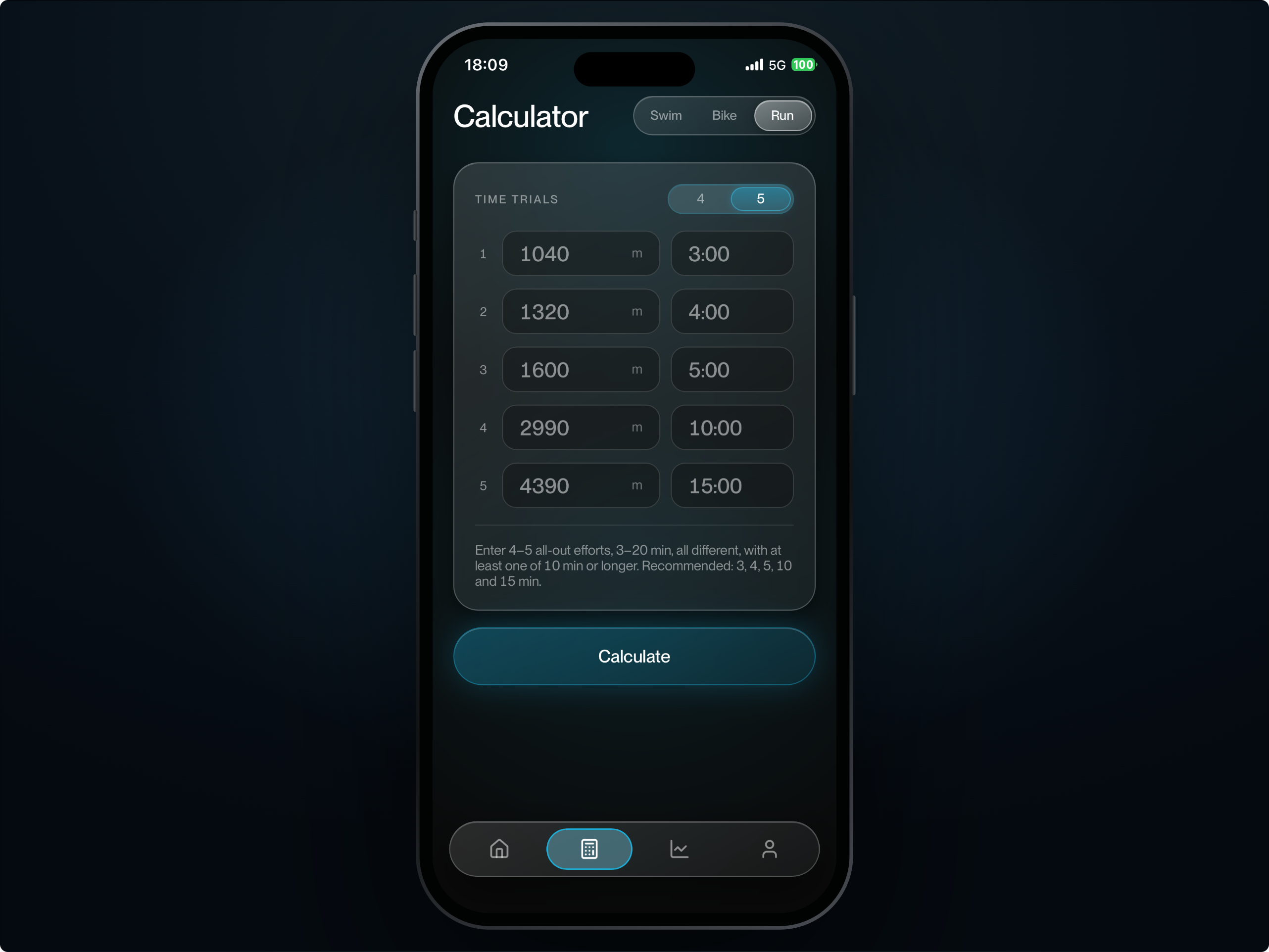
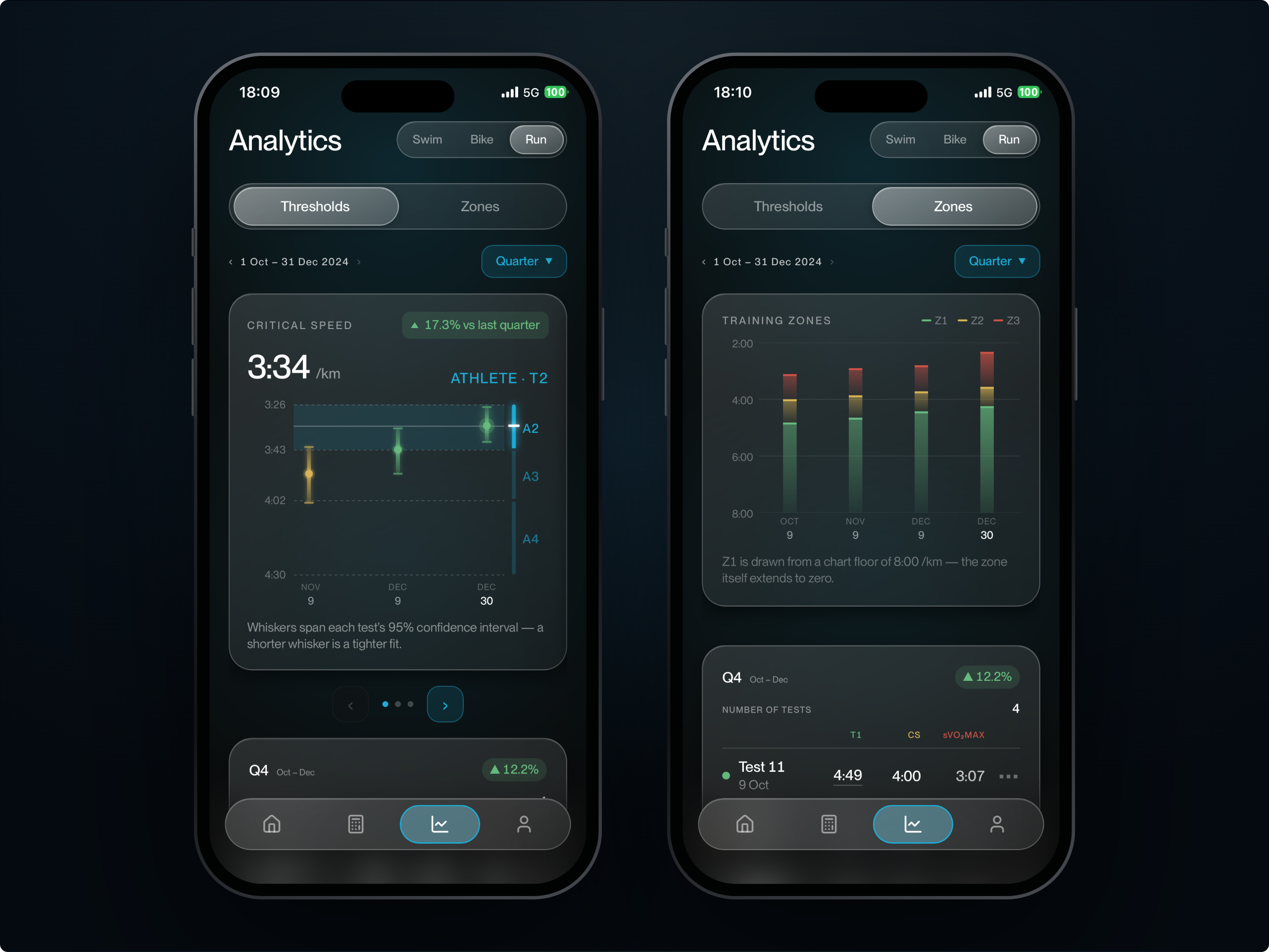
The training zone calculator, built by Max Trube, is, to our knowledge, the first calculator to determine all three physiological training zones from your critical speed/power - drawing on more than 150 research papers.
What you get
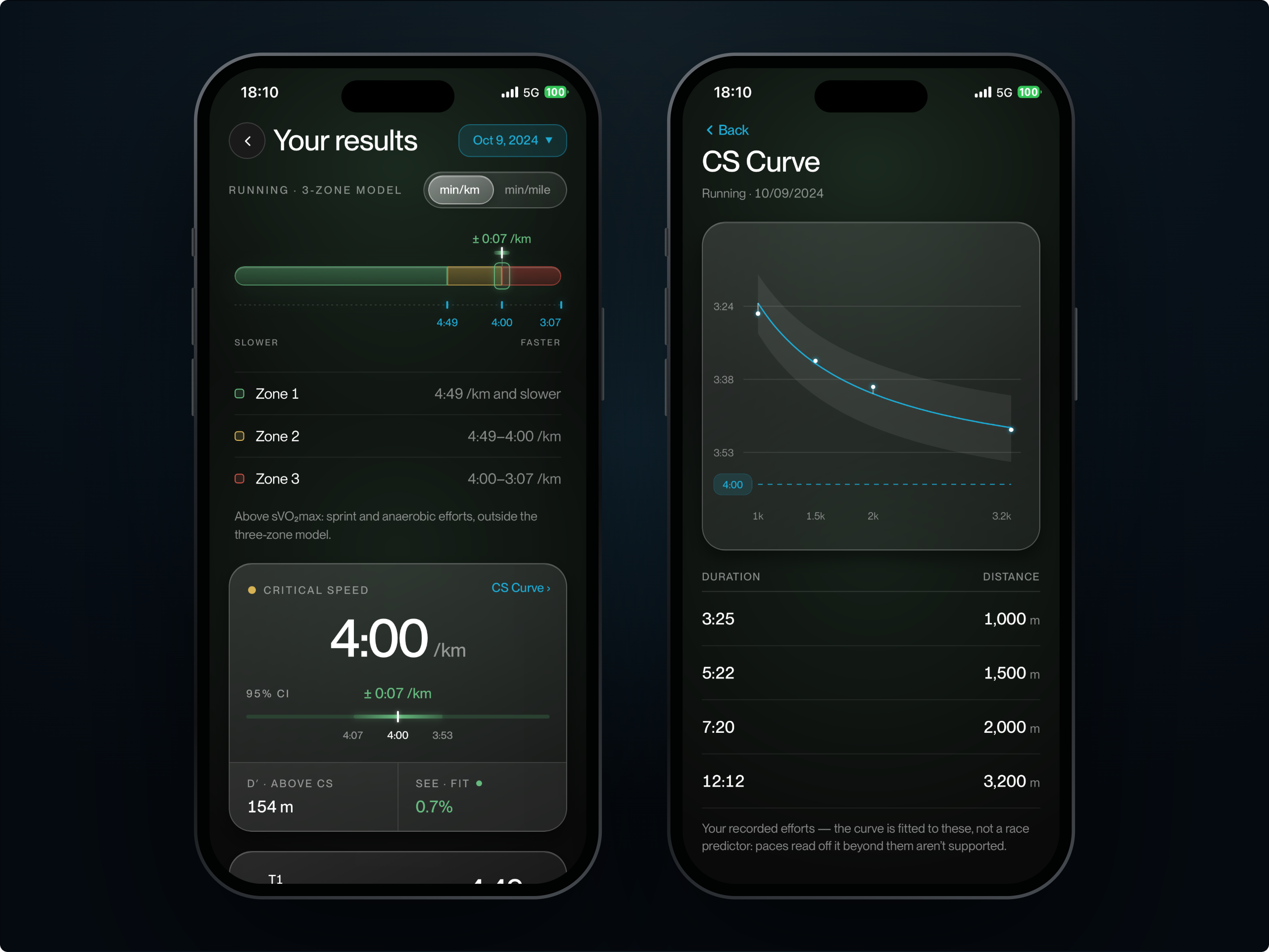
Your three exact training zones
Zone 1 — easy/moderate domain
Zone 2 — threshold domain,
Zone 3 — VO₂max domain,
Progress tracking across all your tests
Zones for running, cycling, and swimming
The Accuracy
The calculator is built on critical speed and critical power — the most thoroughly researched and most reliable metrics in endurance sport. And unlike any other calculator, it tells you how much to trust its own answer.
Why you can trust the numbers
A 95% confidence interval on every critical speed
Fit precision reported on every result — under 3% is the target
If an effort was paced rather than all-out, the model says which one
Every calculation hand-verified against the underlying mathematics
FAQs
Here are the most common questions about the training zone calculator, the test itself, and how to get the most accurate results.
Why pay for this when there are free zone calculators?
Free calculators take one number - a max heart rate, a threshold pace, an FTP estimate - and apply fixed percentages drawn from population averages. They can't tell you whether that number was right, and they can't tell you how much to trust the answer. This one fits a model to your own performances and reports its own precision, so you know whether your zones are solid or whether one of your efforts let you down. That's the difference between a number and a measurement.
Is this for beginners, or only for professional athletes?
It works for anyone who can complete 4 all-out efforts and time them accurately. The model adjusts its parameters to your level, so a first-year runner and a sub-2:05 marathoner both get zones scaled to their own physiology. What it does need is an all out effort. If you can't or don't want to run genuinely hard for a few minutes at a time, this isn't the right tool.
Do I need any equipment?
A watch or phone that records time accurately, and a way to know the distance you covered - a track, a measured route, or GPS. For cycling you'll want a power meter. No lab, no lactate strips, no chest strap.
How do I install it on my phone?
There's nothing to download from an app store. The app installs straight from your browser and then behaves like any other app on your phone - full screen, its own icon, no address bar.
On iPhone and iPad
Open zones.maxtrubemd.com in Safari — this only works in Safari, not Chrome or Firefox. Tap the Share button at the bottom of the screen, scroll down, and choose Add to Home Screen. Tap Add, and the icon appears alongside your other apps.
On Android
Open the site in Chrome. You'll usually see a banner offering to install it — tap that. If not, open the menu in the top right and choose Install app or Add to home screen.
On a computer
Open the site in Chrome or Edge and click the install icon at the right-hand end of the address bar. You don't have to install it at all — everything works in a normal browser tab. Installing just makes it quicker to open and gives you the full screen.
What happens if I cancel?
You keep full access until the end of the year you've paid for, and you're simply not charged again. Cancel in a couple of taps from inside the app.
What does the subscription include?
€49 per year for full access - all three sports, unlimited calculations, saved results and progress tracking over time. It renews yearly.
Let’s Get Started
Find your exact training zones - train more accurately and get better results.